Auto-posting to Instagram and Threads: containers, limits and the 4:5 rule
How the Instagram and Threads APIs publish: two-step media containers, status polling, the 100 and 250 posts-a-day limits, image rules and token lifetimes.
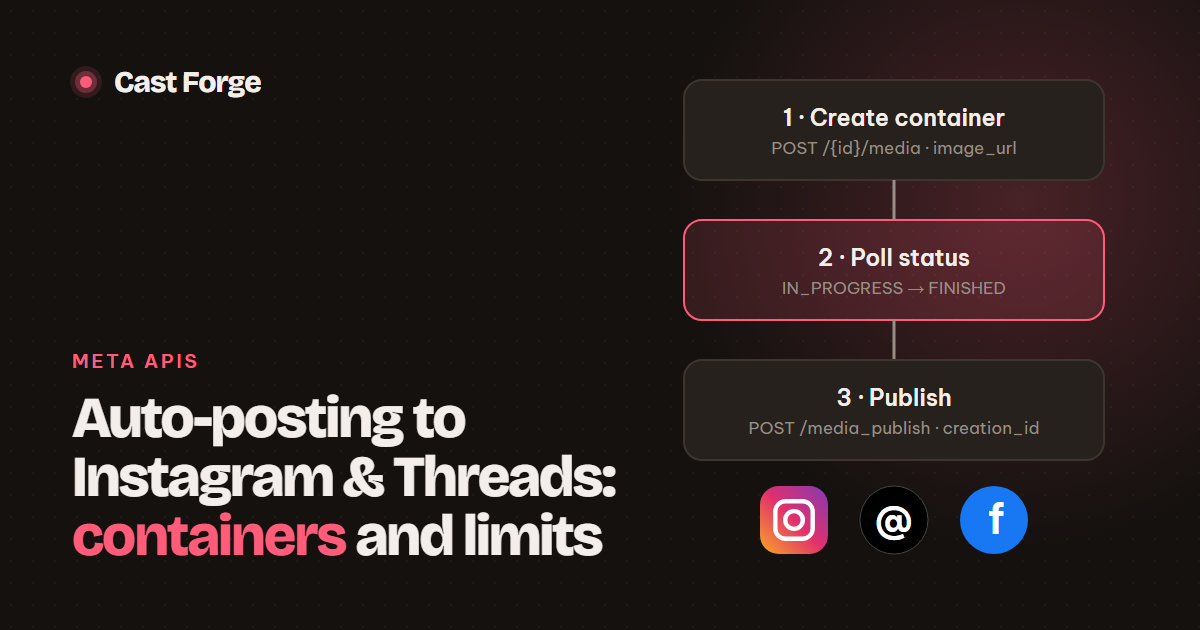
FINISHED, then call the publish endpoint with the container ID. Instagram allows 100 API-published posts per account in a rolling 24 hours and only takes JPEGs between 4:5 and 1.91:1. Threads allows 250 posts a day, 500 characters of text and at most 5 links per post. Facebook Pages skip the container step: one upload request publishes the photo.
- Instagram and Threads publish in two steps (container → publish). Facebook Pages publish in one.
- Instagram downloads your image itself, so
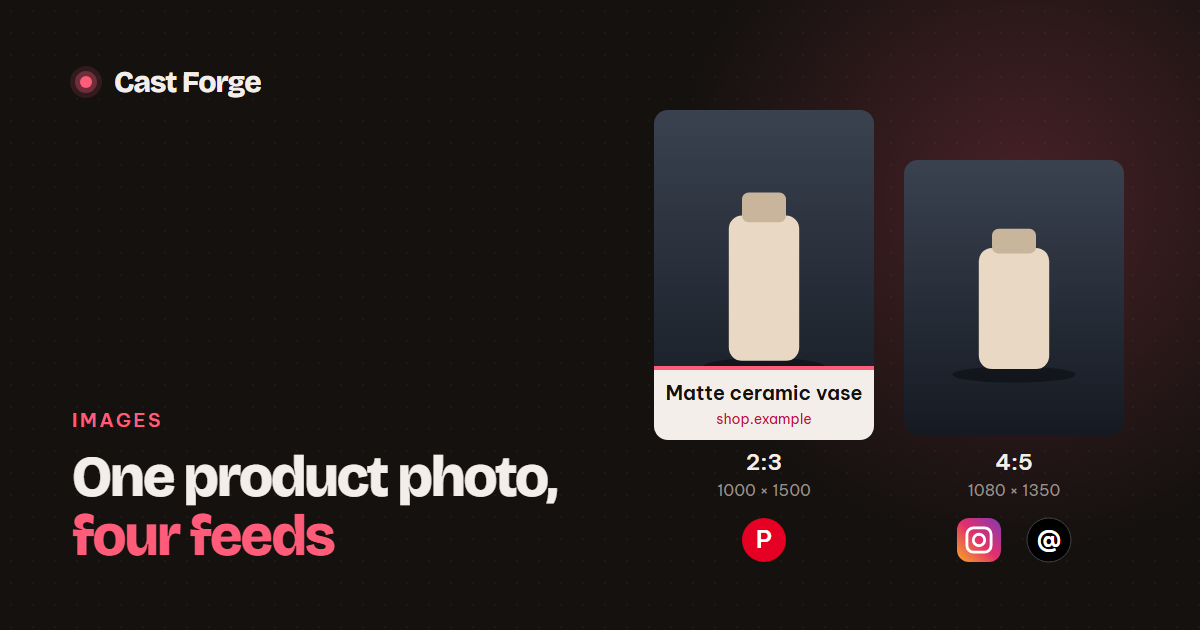
image_urlmust be reachable from the public internet. - A 2:3 Pinterest image is rejected by Instagram. Render a separate 4:5 version.
- Page tokens obtained from a long-lived user token do not expire. Threads tokens last 60 days and must be refreshed.
- Check
content_publishing_limitbefore publishing instead of finding the limit through errors.
We publish to Facebook Pages, Instagram and Threads from the same product catalogue every day, and the three Meta APIs look alike only at first glance. This guide walks through the flow we run in production, the limits we design around, and the errors that show up in the logs, with the official documentation linked at the end.
How publishing works: the two-step container model
Instagram and Threads do not accept a post in a single request. You first create a media container, an unpublished object that holds the image and the caption. Meta downloads and processes the media in the background. When the container is ready you publish it, and only then does the post appear on the profile.
graph.facebook.com) and Threads (graph.threads.net). Facebook Pages publish in one request.The split exists because media processing takes time, especially for video, and because carousels are assembled from several child containers. For a single image it feels like overhead. Treat it as a small state machine and it stays simple.
Before you start: accounts, permissions and tokens
Instagram and Facebook Pages
The Instagram account must be a Business or Creator account linked to a Facebook Page. One Facebook Login covers both. The user grants these permissions, which is the set we request:
pages_show_list,pages_manage_posts,pages_read_engagement: list the user’s Pages and post to them.instagram_basic,instagram_content_publish: read the linked Instagram account and publish to it.business_management: needed when the Pages are owned through a Business portfolio.
Exchange the login code for a short-lived user token, exchange that for a long-lived user token, then call GET /me/accounts. Each Page in the response carries its own Page access token, and a Page token obtained from a long-lived user token does not expire. We store one account per Page and one per linked Instagram profile (instagram_business_account on the Page). Both post with the Page token.
Threads
Threads uses its own app ID and secret, its own login and the scopes threads_basic and threads_content_publish. The long-lived token lasts 60 days and can be refreshed once it is at least a day old:
GET https://graph.threads.net/refresh_access_token
    ?grant_type=th_refresh_token
    &access_token=LONG_LIVED_TOKEN
Our background worker refreshes every Threads token that has fewer than 50 days left. That way a token is renewed about every ten days and one failed refresh never takes an account offline.
Publishing an image to Instagram
This is the code path Cast Forge runs, trimmed to the essentials (Python with requests):
import time, requests

GRAPH = "https://graph.facebook.com/v23.0"

def publish_instagram(ig_user_id, page_token, image_url, caption):
    # 1. container: Instagram downloads image_url itself
    cid = requests.post(f"{GRAPH}/{ig_user_id}/media", data={
        "image_url": image_url, "caption": caption,
        "access_token": page_token}).json()["id"]

    # 2. wait for processing
    for _ in range(24):
        status = requests.get(f"{GRAPH}/{cid}", params={
            "fields": "status_code", "access_token": page_token}).json()["status_code"]
        if status == "FINISHED": break
        if status in ("ERROR", "EXPIRED"): raise RuntimeError(status)
        time.sleep(5)

    # 3. publish
    return requests.post(f"{GRAPH}/{ig_user_id}/media_publish", data={
        "creation_id": cid, "access_token": page_token}).json()["id"]
Three details matter in practice:
- The image must be public. Instagram fetches
image_urlfrom Meta’s servers, so a URL onlocalhost, behind a login or on a private network fails. We serve post images from a dedicated public path over HTTPS and keep the rest of the app private. - JPEG only. Instagram’s publishing API supports JPEG and nothing else. Convert PNG and WebP before you create the container.
- Polling. Meta’s guidance is to check once a minute for no more than five minutes. In our logs single JPEG images are ready within seconds, so we poll every 5 seconds for up to 2 minutes. For video, use Meta’s slower cadence.
The publish call returns a media ID, not a link. Request GET /{media-id}?fields=permalink to get the post URL shown to users.
Publishing an image to Threads
Threads mirrors the same two steps on its own host, graph.threads.net:
POST https://graph.threads.net/v1.0/me/threads
     media_type=IMAGE
     image_url=https://example.com/p/product_45.jpg
     text=Linen apron in sage green…  https://shop.example/apron
     access_token=THREADS_TOKEN
→ { "id": "CONTAINER_ID" }

GET  https://graph.threads.net/v1.0/CONTAINER_ID?fields=status
→ { "status": "FINISHED" }

POST https://graph.threads.net/v1.0/me/threads_publish
     creation_id=CONTAINER_ID
→ { "id": "THREADS_MEDIA_ID" }
Meta recommends waiting about 30 seconds on average before publishing. Note that the status field is called status on Threads and status_code on Instagram. Text is limited to 500 characters, and emoji count by their UTF-8 byte length. Since December 22, 2025, a post with more than 5 unique links fails at container creation with THREADS_API__LINK_LIMIT_EXCEEDED.
Facebook Pages: one request, no container
Facebook Pages accept the image file in the request itself, so the image does not need a public URL:
POST https://graph.facebook.com/v23.0/{page-id}/photos
     message=Linen apron in sage green…  https://shop.example/apron
     source=@product.jpg          # multipart upload
     access_token=PAGE_TOKEN
→ { "id": "PHOTO_ID", "post_id": "PAGEID_POSTID" }
Use post_id, not the photo ID, when you link to the post: https://www.facebook.com/{post_id}.
The limits that matter
| Limit | Threads | Facebook Page | |
|---|---|---|---|
| Posts via API | 100 per 24 h, rolling | 250 per 24 h | Standard Graph API rate limits |
| Image formats | JPEG only | JPEG, PNG | Uploaded file |
| Aspect ratio | 4:5 to 1.91:1 | Up to 10:1 | Not restricted |
| Image size | - | ≤ 8 MB, 320–1440 px wide | - |
| Text | 2,200 characters | 500 characters, ≤ 5 links | Long-form |
| Container lifetime | 24 hours | - | No container |
| Clickable links in text | No | Yes | Yes |
Instagram exposes your remaining quota directly, so you never need to guess:
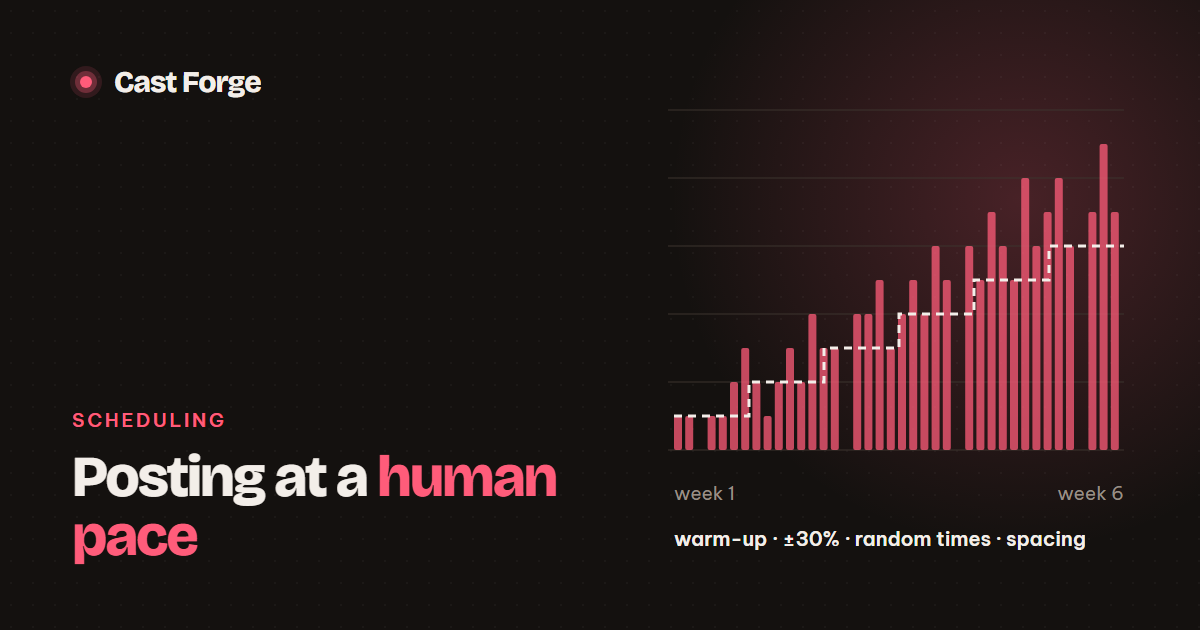
GET /{ig-user-id}/content_publishing_limit?fields=quota_usage,configA human-paced schedule stays far below these ceilings. We cap new accounts at one post a day and ramp up slowly (see posting at a human pace). The limits matter mostly when a backlog builds up after downtime: reschedule missed posts instead of flushing them all at once.
One caption, three networks
We write the copy once per product and adapt it per network instead of paying for three AI generations:
- Instagram: title and description, cut to 2,200 characters. The product link is left out because links in Instagram captions are not clickable, and a bare URL looks like spam.
- Threads: title, description and link, cut so that the whole post including the link fits in 500 characters. When there is not enough room, the title alone carries the post and the link always survives.
- Facebook: title, description and link in full.
Errors you will meet
| Symptom | Cause | Fix |
|---|---|---|
| Error 36003, subcode 2207009 | Image aspect ratio outside 4:5–1.91:1 | Render a 4:5 copy (1080 × 1350) for Instagram |
Container ERROR | Image could not be downloaded or processed | Read error_message on the container. Check the URL is public and is a JPEG |
Container EXPIRED | Not published within 24 hours | Create a new container right before publishing |
OAuthException code 190 | Token expired or revoked | Refresh (Threads) or ask the user to reconnect |
THREADS_API__LINK_LIMIT_EXCEEDED | More than 5 unique links | Keep one link per post |
Production checklist
- Serve post images from a public HTTPS path. Keep everything else behind login.
- Render a 4:5 JPEG for Instagram and Threads, and keep the 2:3 version for Pinterest.
- Store the Page token per account. Refresh Threads tokens well before day 60.
- Poll container status with a time limit. Treat
ERRORandEXPIREDas final. - Read
content_publishing_limitbefore each publish. - Save the permalink so users can open the live post from your dashboard.
- Take the Meta app Live before going public: in development mode, posts are only visible to the app’s roles.
Frequently asked questions
How many posts can I publish to Instagram through the API per day?
100 API-published posts per account in a rolling 24-hour window, a carousel counting as one. Read the live usage from GET /{ig-user-id}/content_publishing_limit before each publish.
How many posts can a Threads profile publish through the API?
250 posts in a 24-hour period. Posts with more than 5 unique links are rejected when the container is created.
Why does Instagram need a public image URL?
Instagram downloads the image itself when you create the container, so image_url must be reachable from the internet. Facebook Pages also accept the file uploaded directly in the request.
Sources
Platform limits and specs were checked against these pages on October 26, 2026. They change; the linked docs are authoritative.